WordPress website එකක් manage කරනකොට, ඔබට එක වෙලාවක මෙහෙම situation එකක් අත්විඳලා ඇති.
👉 Page එක publish කරන්න ready, නමුත් title එක design එකට match වෙන්නේ නෑ.
Title එක remove කරන්න පුළුවන්. නමුත් ඒක SEO වලට bad effect එකක් දෙනවා.
✅ Solution එක simple.
Title delete කරන එක වෙනුවට hide කරන්න.
මේ guide එකෙන් ඔබට WordPress වල title hide කරන best methods 3ක් ඉගෙන ගන්න පුළුවන්.
📈 ඇයි Page Title Hide කරන්න ඕනේ?
Page title hide කරන එක useful වෙන අවස්ථා කිහිපයක් තියෙනවා:
- Homepage වල title unnecessary වෙන්න පුළුවන්
- Landing pages වල conversions reduce වෙනවා
- Design clean look එකක් maintain කරන්න
- Some themes already title show කරනවා banner එකේ
👉 ඒ නිසා hide කිරීම best practice එකක්.
🛠️ Method 1: CSS භාවිතා කරලා Title Hide කිරීම (Manual)
👉 සියලුම Page Titles Hide කරන්න
- WordPress Dashboard → Appearance → Customize
- Additional CSS section එකට යන්න
- මේ code එක add කරන්න:
.page .entry-title {
display: none;
}
- Publish කරන්න
👉 Specific Page එකක් Hide කරන්න
Page ID එක find කරන්න:
Dashboard → Pages → All Pages
ඊට පස්සේ CSS එක:
.page-id-2 .entry-title {
display: none;
}
👉 (2 වෙනුවට ඔබගේ page ID එක දාන්න)
👉 Blog Post Titles Hide කරන්න
.post .entry-title {
display: none;
}
🧠 Method 2: Gutenberg Editor භාවිතා කිරීම
Coding දන්නේ නැත්නම් මේ method එක best.
👉 සියලු Page Titles Hide කරන්න
- Appearance → Editor
- Templates → Page
- Post Title block එක remove කරන්න
- Save කරන්න
👉 Specific Page එකක් Hide කරන්න
- New Template create කරන්න
- Post Title block remove කරන්න
- Save
⚡ Method 3: Plugin භාවිතා කිරීම (Easy Way)
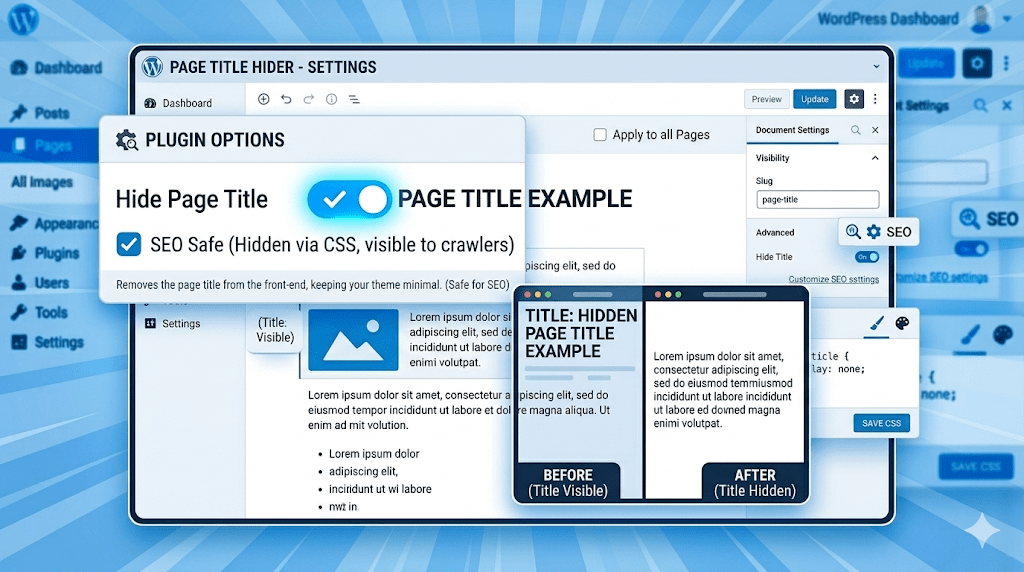
Plugins use කරන එක easiest method එක.
Popular Plugins:
- Hide Page and Post Title
- Title Remover
Steps:
- Plugin install + activate කරන්න
- Page එක edit කරන්න
- “Hide Title” option enable කරන්න
- Update කරන්න
👉 Done ✅
⚠️ Important: Title Remove කරන්න එපා (SEO Warning)
Page title completely delete කරන එක dangerous.
Problems:
- SEO ranking drop වෙනවා
- Permalink issues
- Google page එක understand කරන්න බැරි වෙනවා
👉 Always use Hide, not Delete.
🔍 SEO ගැන වැදගත් දෙයක්
WordPress වල title දෙකක් තියෙනවා:
1. SEO Title (<title>)
- Google search results වල පේනවා
2. H1 Title
👉 H1 hide කරලා SEO title keep කරන එක best strategy එක.

🚀 Pro Tips (Ranking Boost)
- Clean permalink use කරන්න
- Images වල ALT tags add කරන්න
- Fast loading site maintain කරන්න
- Internal linking කරන්න
❓ FAQ
WordPress වල title hide කිරීම SEO වලට bad ද?
❌ නෑ. Delete නොකර hide කරනවා නම් safe.
Plugin use කරන එක හොඳද?
✅ Beginners ට plugin best.
CSS method safe ද?
✅ Yes, but backup එකක් තියාගන්න.
🏁 Conclusion
WordPress වල page title hide කිරීම simple දෙයක්.
ඔබට use කරන්න පුළුවන්:
- CSS method
- Gutenberg editor
- Plugins
👉 SEO safe way එක:
Title delete කරන්න එපා. Hide කරන්න.
📢 CTA
👉 තවත් WordPress, DevOps සහ Tech guides සඳහා
LifeCyborg blog එක follow කරන්න 🚀

 1
1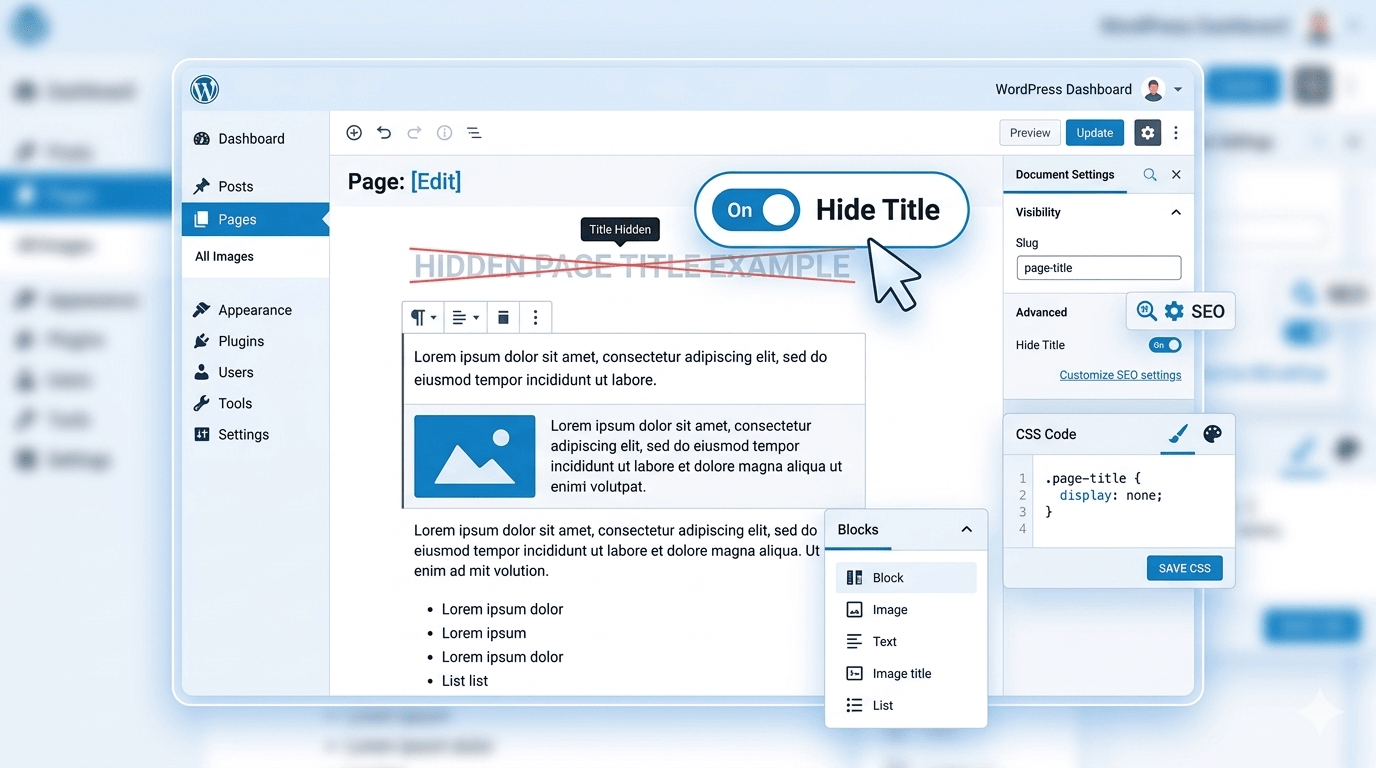


Nice
Very good explanation. Very important. Thank you.